The best audio file formats for speech-to-text: A guide
Learn about the best audio and video formats for speech-to-text applications, as well as best practices for audio post-processing techniques.


Learn about the best audio and video formats for speech-to-text applications, as well as best practices for audio post-processing techniques.
The accuracy of speech-to-text systems is strongly influenced by the quality of the audio input, as recent research indicates that audio quality degradation systematically affects system accuracy. Choosing the right audio file format is essential, as it directly impacts how accurately the system can interpret and transcribe spoken words. In this guide, we'll explore the best audio and video formats for speech-to-text, focusing on sound quality, file size, and compatibility with speech-to-text software, as well as discussing the potential pitfalls of post-processing.
Why audio format is crucial for speech-to-text
Audio format determines speech-to-text accuracy because lossy compression removes acoustic details that AI models need to recognize speech patterns. The right format choice can improve transcription accuracy by 15-30% compared to suboptimal formats.
- Sound Quality: High-quality audio captures clear speech signals, making it easier for the speech-to-text system to recognize words accurately. Poor audio quality, on the other hand, can lead to errors in transcription.
- File Size and Processing: Larger, uncompressed audio files retain more detail but require more storage. Compressed files are easier to handle but might sacrifice some accuracy.
- Compatibility: Not all speech-to-text systems support every audio format. Choosing a widely supported format ensures smooth processing and avoids conversion steps that could degrade audio quality.
Audio format fundamentals
Before diving into specific formats, it helps to understand the basic building blocks of digital audio. These three concepts determine the quality and size of your audio files.
- Sample Rate: Think of sample rate as the number of "snapshots" an audio recorder takes every second. It's measured in hertz (Hz). For speech-to-text, 16 kHz is often the sweet spot—as it's the current standard for training acoustic models—capturing the full range of the human voice without unnecessary data.
- Bit Depth: If sample rate is the number of snapshots, bit depth is the amount of detail in each snapshot. It determines the dynamic range—the difference between the quietest and loudest sounds. For most speech applications, 16-bit depth is a common requirement for streaming audio, providing enough detail for AI models to work effectively.
- Channels: This refers to the number of audio streams. Mono (one channel) is usually sufficient for transcription. Stereo can be useful for separating speakers recorded on different channels, but it doubles the file size.
Understanding compression types
Most audio formats use compression to make files smaller and easier to manage. They fall into three main categories.
- Uncompressed: This is the raw audio data, containing every detail from the original recording. Formats like WAV are uncompressed, offering the highest possible fidelity but resulting in very large files. They are the gold standard for quality.
- Lossless Compression: Formats like FLAC use compression to reduce file size without discarding any audio data and are widely supported in flexible batch transcription workflows. Think of it like a ZIP file for your audio—it can be perfectly reconstructed to its original, uncompressed state. This makes it great for archiving high-quality audio while saving storage space.
- Lossy Compression: Formats like MP3 and AAC make files much smaller by permanently removing parts of the audio data that are hard for humans to hear. This data loss is irreversible. While you sacrifice some quality, modern lossy formats can sound nearly identical to the original at high bitrates, making them ideal for streaming and web applications.
Key considerations for selecting audio formats
When choosing an audio format for speech-to-text applications, consider the following:
- Sample Rate: A higher sample rate captures more audio detail. For speech-to-text applications, 16 kHz is generally sufficient because it effectively captures the frequency range of human speech. Higher sample rates don't provide additional value for transcribing human speech and only increase file size.
- Bit Depth: Higher bit depth provides better dynamic range. A minimum of 16-bit is recommended for speech-to-text applications.
- Compression: Lossless formats retain all audio details but result in larger files, while lossy formats reduce file size at the cost of some quality. The choice depends on your application's need for quality versus efficiency.
Best audio formats for speech-to-text
Let's dive into some of the most commonly used audio formats for speech-to-text and evaluate their suitability.
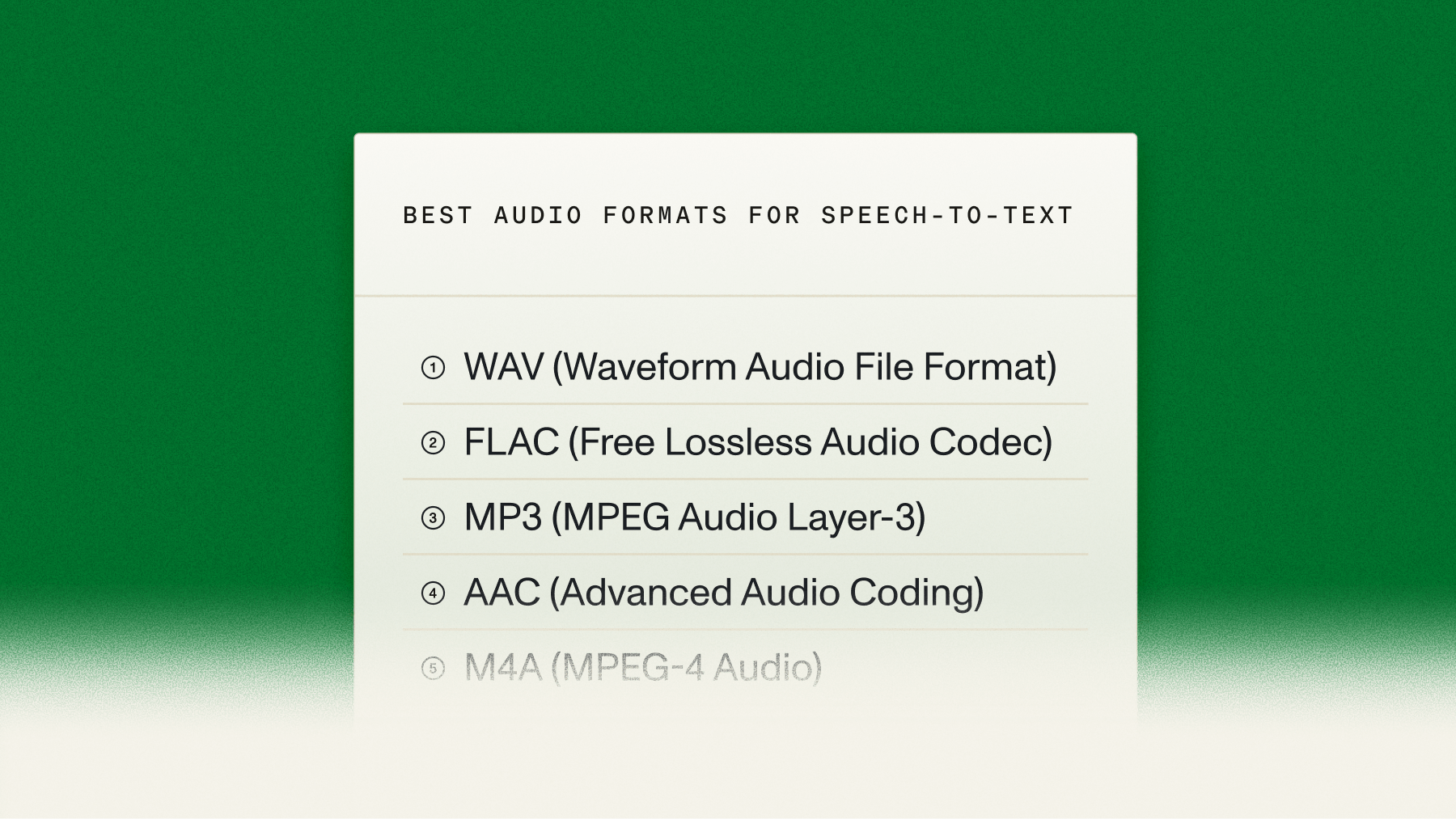
1. WAV (Waveform Audio File Format)
- Sample Rate: Up to 192 kHz
- Bit Depth: Up to 32-bit
- Compression: Uncompressed
- Suitability: Excellent
WAV delivers maximum speech-to-text accuracy because it's uncompressed and preserves all audio details.
Why WAV works best:
- Zero data loss: Uncompressed format retains all speech details
- Universal compatibility: Supported by all major speech-to-text providers
- Professional standard: Industry benchmark for audio quality
The trade-off is larger file sizes, but WAV delivers the best transcription results for applications like legal or medical documentation.
2. FLAC (Free Lossless Audio Codec)
- Sample Rate: Up to 655.35 kHz
- Bit Depth: Up to 32-bit
- Compression: Lossless
- Suitability: Excellent
FLAC provides the ideal balance between quality and file size through lossless compression.
Key advantages:
- Quality retention: Zero audio data loss during compression
- Storage efficiency: 50-60% smaller than WAV files
- Long recording optimization: Maintains quality while reducing storage costs
3. MP3 (MPEG Audio Layer-3)
- Sample Rate: Typically 44.1 kHz
- Bit Depth: 16-bit (effectively)
- Compression: Lossy
- Suitability: Good
MP3 is a ubiquitous audio format known for its efficient compression and decent sound quality. While it is a lossy format, MP3 files can still deliver good quality at higher bit rates (128 kbps and above). MP3 is practical for general speech-to-text applications where file size is a concern.
4. AAC (Advanced Audio Coding)
- Sample Rate: Up to 96 kHz
- Bit Depth: 16-bit (effectively)
- Compression: Lossy
- Suitability: Good to Excellent
AAC is a more advanced lossy compression format than MP3, providing better sound quality at similar bit rates. It's widely used in streaming and digital broadcasting. AAC's efficiency makes it a good choice for speech-to-text applications, especially where bandwidth or storage is limited.
5. M4A (MPEG-4 Audio)
- Sample Rate: Up to 96 kHz
- Bit Depth: 16-bit (effectively)
- Compression: Typically lossy (can be lossless)
- Suitability: Good
M4A is often used for audio files encoded with AAC or Apple Lossless (ALAC). When encoded with AAC, it offers similar benefits to AAC in terms of quality and compression. M4A is viable for mobile devices or cloud-based transcription services.
Best video formats for speech-to-text
Video format choice impacts both audio quality and file management:
MP4 is one of the best options due to its widespread compatibility and efficient compression. It typically uses AAC for audio, providing clear sound without creating overly large files.
MOV is excellent for high-quality audio and video, often used in professional settings. However, MOV files tend to be larger, which could be a drawback for longer recordings.
AVI and MKV formats are versatile, supporting various codecs that can influence audio quality and file size. AVI offers good quality but often at the cost of larger files. MKV is flexible and supports multiple audio tracks, though it may not be as widely supported.
Finally, WMV is suitable for Windows environments, offering good compression, but its compatibility with transcription tools outside the Windows ecosystem can be limited.
Format compatibility across speech-to-text providers
While lossless formats like WAV and FLAC are technically superior for accuracy, their practical use depends on what your speech-to-text provider supports.
Provider compatibility overview:
- Major providers: AssemblyAI, Google Cloud Speech-to-Text, and AWS Transcribe support common formats (WAV, FLAC, MP3)
- Encoding variations: Sample rate, bit depth, and codec requirements can vary between APIs
- Implementation risk: Wrong specifications can force quality-degrading conversions
Always check your provider's documentation before building audio processing pipelines. At AssemblyAI, we've designed our API for developer flexibility, supporting a wide range of formats right out of the box.
Audio preprocessing: When it helps and when it hurts
The idea of "cleaning up" audio before feeding it into a speech recognition engine seems logical, but the reality is more nuanced. Let's explore how post-processing affects speech-to-text accuracy, including common practices like converting file formats and removing background noise.
Converting file formats: A misguided solution
A common misconception is that converting an audio file to a different format might improve its suitability for speech-to-text processing. For example, some might believe that converting a compressed MP3 file to an uncompressed WAV file will enhance audio quality. However, this approach is misguided.
Why doesn't conversion help?
- No Gain in Quality: When you convert a lossy format like MP3 to a lossless format like WAV, the conversion doesn't magically restore lost data. The audio quality remains exactly the same as the original MP3 file.
- Potential Artifacts: Converting between formats, especially multiple times, can introduce unwanted artifacts or degradation when lossy file formats are involved. It's best to work with the highest-quality original recording possible.
Removing background noise: Proceed with caution
Another common post-processing step is noise reduction. Intuitively, it makes sense to remove background noise to make the speech signal clearer for the speech-to-text system. However, this process can sometimes backfire.
Why can noise reduction worsen results?
- Speech Signal Distortion: Advanced noise reduction algorithms work by identifying and filtering out non-speech sounds, but in doing so, they might inadvertently distort the speech signal itself—a risk seen in other forms of audio manipulation where audio processing research shows that techniques like peak clipping can introduce significant harmonic distortion. These distortions can confuse speech-to-text algorithms, leading to errors in transcription.
- Loss of Contextual Clues: Background noise, when not overpowering, often contains contextual information that speech-to-text models can use to better understand the audio. Removing this noise can sometimes strip away these contextual clues, reducing the overall accuracy.
When post-processing helps
This isn't to say that all post-processing is detrimental. In fact, certain practices can be beneficial if done correctly:
- Volume Normalization: Ensuring consistent audio levels can help speech-to-text systems process the entire recording more uniformly, reducing errors caused by sudden volume changes.
- Trimming Silence or Filtering Speech: Removing long periods of silence can make the transcription process more efficient. Similarly, using a feature like AssemblyAI's Speech Threshold allows you to only transcribe files that contain a minimum percentage of spoken audio, which can save costs by filtering out silent or music-only files.
- Enhancing Speech Quality: If done carefully, some audio enhancement techniques, like boosting certain frequency ranges or clarifying speech intelligibility, can help improve transcription accuracy. These should be applied with a clear understanding of their impact on the speech signal.
Converting audio formats does not recover lost data and can introduce artifacts that degrade performance. Similarly, aggressive noise reduction can distort the speech signal and remove contextual cues, potentially worsening results. The best practice is to focus on capturing high-quality recordings from the start and use minimal, targeted post-processing.
Real-time and streaming considerations
Real-time transcription has different format requirements than pre-recorded files. The industry standard uses WebSocket connections with raw, uncompressed audio data.
Real-time format specifications:
- Data format: 16-bit PCM (raw, uncompressed)
- Connection type: WebSocket for instant data transmission
- Latency benefit: No compression/decompression delays
Streaming compressed formats like FLAC reduce bandwidth but increase complexity:
- Bandwidth benefit: Smaller data transfer requirements
- Latency cost: Additional encoding/decoding processing time
- Trade-off: Choose based on bandwidth limitations vs. speed requirements
A robust streaming API, like those in AssemblyAI's family of streaming models, is built to handle these complexities. For instance, modern streaming APIs like the Universal-Streaming English model are optimized for speed, delivering immutable transcripts in ~300ms with intelligent endpointing. For the highest accuracy in real-time applications like voice agents, Universal-3 Pro Streaming is the premier choice. This allows you to build responsive, real-time Voice AI features without getting bogged down in the low-level details.
Choosing the right format for your use case
Choose your audio format based on these three decision criteria:
- For maximum accuracy: If your top priority is getting the most accurate transcript possible, always use a lossless format like WAV or FLAC, as industry best practices show that use cases like legal and medical documentation demand the highest possible accuracy. For English audio, pairing a lossless format with a high-accuracy model like AssemblyAI's Universal-3 Pro is ideal for use cases like legal transcription or generating high-quality training data. For medical dictation, we also recommend setting the
domain="medical-v1"parameter to further improve accuracy on clinical terminology. - For web and mobile apps: When you're dealing with user-generated content or need to balance quality with file size, a high-bitrate lossy format is often the most practical choice. MP3 (at 128 kbps or higher) or M4A (using AAC) provide good quality without creating massive files that are slow to upload and expensive to store.
- For archiving large volumes of audio: If you need to store thousands of hours of audio while preserving quality, FLAC is the clear winner. It offers the same lossless quality as WAV but with a significantly smaller file size, saving you on storage costs.
The best way to know for sure is to test. Different audio sources, recording environments, and speakers can affect performance. By understanding these trade-offs, you can make an informed choice that aligns with your product goals.
Making the right audio format decision for Voice AI
Format choice depends on your specific accuracy and efficiency requirements. Test with your actual audio data to validate performance.
Choose lossless formats (WAV, FLAC) for mission-critical applications like legal or medical transcription, an approach proven in healthcare to put accuracy first when dealing with specialized terminology. Use high-bitrate lossy formats (MP3, M4A) for consumer applications where file size matters more than perfect accuracy.
If you're ready to see how different formats perform with our industry-leading AI models, you can try our API for free.
Frequently asked questions about audio formats for speech-to-text
What is the best audio format for transcription?
WAV and FLAC deliver the highest accuracy because they preserve all original audio data. For smaller file sizes, use MP3 at 128kbps or higher.
Is WAV or MP3 better for speech-to-text?
WAV delivers higher transcription accuracy because it's uncompressed and retains all audio detail. MP3 prioritizes smaller file size but sacrifices quality, which can reduce accuracy in challenging audio conditions.
Should I convert a lossy file like MP3 to a lossless format like WAV?
No, converting from MP3 to WAV doesn't restore lost audio data—you'll get a larger file with identical quality. Always work with the highest-quality original recording available.
What audio specifications are most important for accuracy?
For human speech, a 16 kHz sample rate and 16-bit depth are optimal. These settings effectively capture the full frequency range of the human voice without adding unnecessary file size, providing the best balance of quality and efficiency for speech-to-text transcription.
Lorem ipsum dolor sit amet, consectetur adipiscing elit, sed do eiusmod tempor incididunt ut labore et dolore magna aliqua. Ut enim ad minim veniam, quis nostrud exercitation ullamco laboris nisi ut aliquip ex ea commodo consequat. Duis aute irure dolor in reprehenderit in voluptate velit esse cillum dolore eu fugiat nulla pariatur.
Related posts